
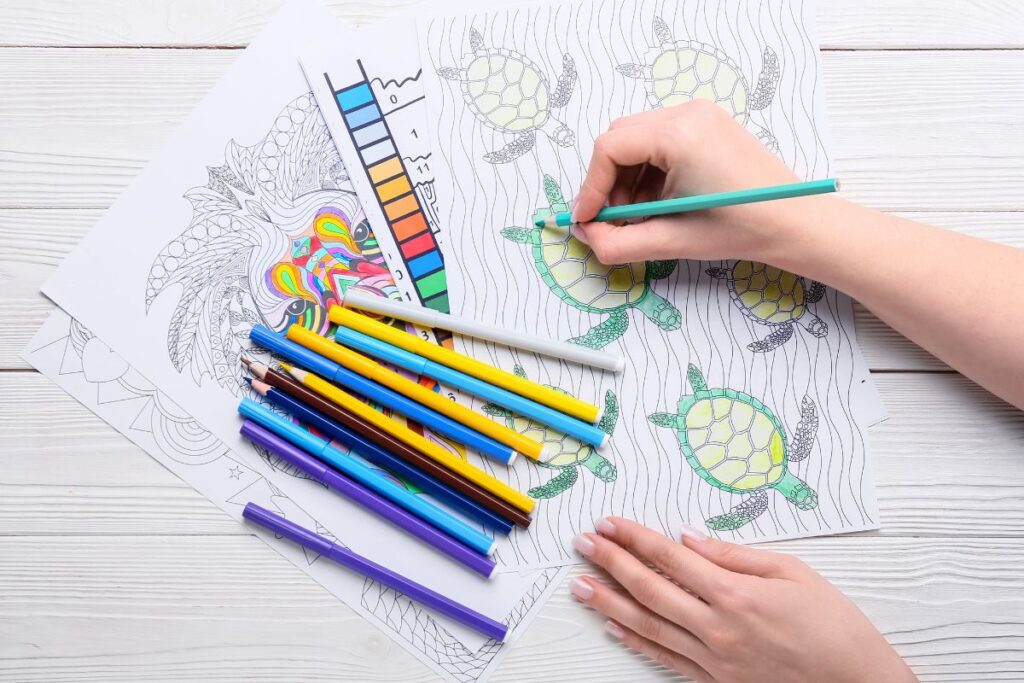
Coloring has become more than just a children’s activity. Whether you’re looking for a creative outlet, a way to unwind after a long day, or a fun family activity, free coloring pages are readily available online.
The challenge isn’t finding them; it’s knowing where to look and how to get the best quality prints. This guide walks you through everything you need to know about downloading and printing free coloring pages from start to finish.
1. Best Websites for Finding Free Coloring Pages
There’s an incredible variety of websites offering free coloring pages, each with different styles, themes, and quality levels. Knowing where to look will help you find exactly what you’re searching for without wading through endless search results.
- Dedicated coloring page sites like ColorDudes, SuperColoring, and Just ColoringBunny thousands of pages organized by theme and difficulty level
- Pinterest is a goldmine for trending designs, seasonal pages, and artist collections. Follow boards dedicated to coloring for constant inspiration
- Educational websites such as ABCmouse, Scholastic, and Crayola provide free printables perfect for children’s learning and entertainment
- Library and museum websites often share free coloring pages inspired by their collections. The Metropolitan Museum of Art and Library of Congress both have excellent resources
- Artist portfolios and creative blogs frequently offer free downloads as a way to share their work and build their audience
- Social media groups dedicated to coloring enthusiasts often share links to the best free resources and new discoveries
2. What to Look for When Choosing Coloring Pages
Not all coloring pages are created equal. Quality can vary dramatically from site to site, so it helps to know what makes a coloring page worth your time and ink. Consider these factors before downloading.
- Image resolution should be high enough that lines appear clean and sharp when printed, typically at least 300 DPI for quality prints
- Line weight and detail level depends on your preference. Some people love intricate, detailed designs while others prefer simpler patterns
- Page size and format matter for compatibility with your printer; most standard coloring pages are 8.5 x 11 inches, but some come in different sizes
- Licensing and usage rights should be clear. Make sure the page is free for personal use, especially if you plan to share or modify it
- Theme and subject matter should match your interests, whether that’s mandalas, animals, botanical designs, fantasy scenes, or abstract patterns
3. Step-by-Step Download Process
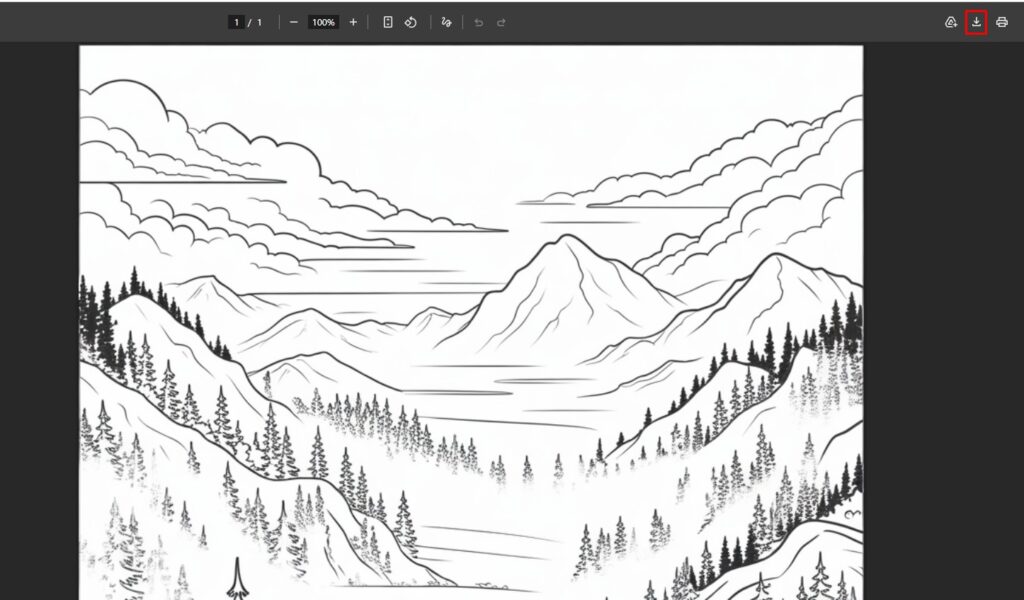
Once you’ve found a coloring page you love, downloading it is straightforward. Follow these steps to ensure smooth downloads and proper file management.
- Locate the download button on the webpage. It’s usually clearly labeled and may say “Download,” “Save,” or show a download icon
- Check the file format before downloading; PDFs are ideal for printing while PNGs and JPGs work well for editing or viewing
- Select your download location on your computer, preferably a dedicated folder for easy access later
- Organize your files immediately by creating folders for different themes like “Animals,” “Mandalas,” “Seasonal,” or “Abstract”
- Create subfolders for difficulty levels (Easy, Medium, Hard) or special categories (Kids, Adults, Holiday) depending on how many pages you collect
- Rename files with descriptive names so you can find what you want without opening each one
Also Read: Best Coloring Supplies for Kids: A Complete Guide
4. Preparing Files for Printing
Before you hit print, take a few minutes to prepare your files. This ensures you’ll get the best quality output and avoid wasted paper and ink.
- Check page dimensions in your print preview to ensure the image is the right size for your paper
- Select orientation based on how the design fits best on the page, whether portrait or landscape
- Adjust image settings in your preview window if needed; you can often fine-tune brightness and contrast for clearer lines
- Test with a sample sheet before printing your entire collection. This catches any issues before wasting materials
- Convert file formats if necessary; if you have a JPG but your printer software prefers PDFs, use a free converter tool
- Check for margins to make sure no part of the design gets cut off during printing
5. Printing Tips and Tricks
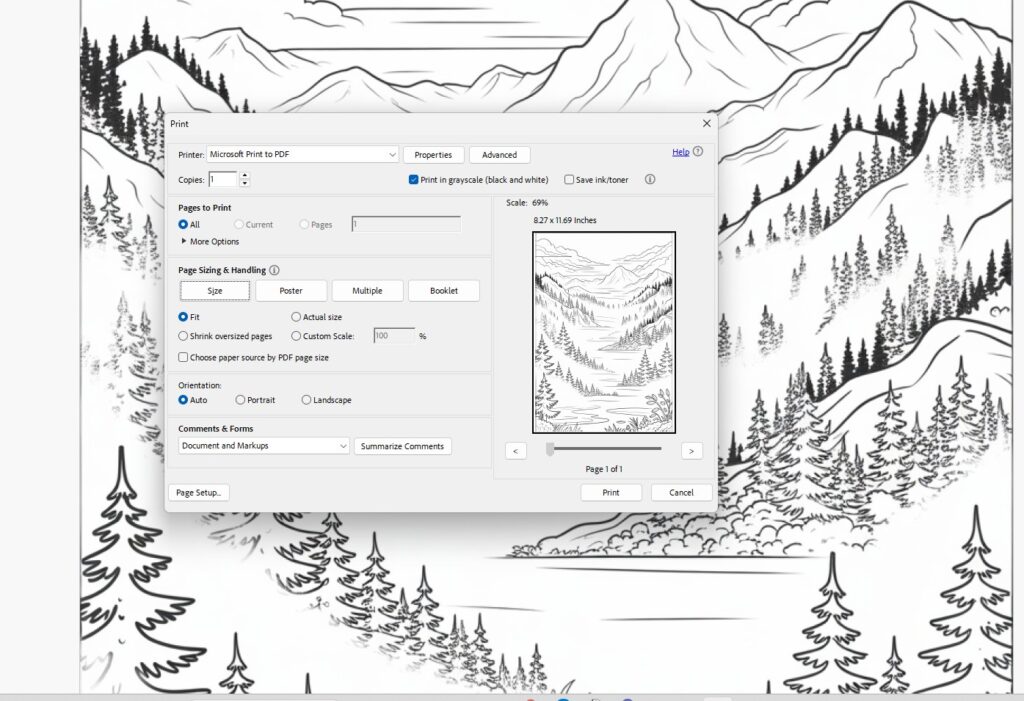
Getting professional-quality prints at home requires the right approach. These practical tips will help you maximize print quality while minimizing waste and cost.
- Use quality paper specifically designed for coloring. Cardstock or premium white paper produces better results than regular copy paper and holds color better
- Decide on color vs. black and white based on what you need. Black and white is economical and lets you add all the color, while pre-colored pages are great for quick projects
- Optimize print settings by selecting “Best Quality” or “High Quality” in your printer settings, adjusting DPI to 300 or higher if possible
- Batch your printing to save time. Print multiple pages at once rather than printing one at a time
- Consider your ink type; quality ink cartridges produce sharper lines and truer colors than budget alternatives
- Use draft mode for black and white lines to save on colored ink. This works perfectly for simple coloring pages
- Print double-sided when pages allow to save paper and create a bound booklet-style collection
6. Storage and Organization Ideas
A large collection of coloring pages is only useful if you can find what you want when you want it. Smart organization saves frustration and keeps your materials accessible.
- Create digital folders organized by theme, difficulty, artist, or occasion on your computer or cloud storage
- Use descriptive filenames that include the theme and any relevant details. For example, “Mandala-Geometric-Medium-Difficulty”
- Back up your collection to cloud storage like Google Drive, Dropbox, or OneDrive to prevent loss if your computer crashes
- Organize printed pages in binders by theme, in magazine holders by difficulty, or in a filing cabinet for easy access
- Create themed collections for different moods or occasions. Examples include relaxation pages, holiday designs, and birthday party printables
- Share digital files with family members or friends through a shared folder or email
- Keep a printed index of your collection so you know what you have without searching through folders
Conclusion
Downloading and printing free coloring pages is easier than ever with the wealth of resources available online. By knowing where to find quality designs, how to prepare them for printing, and how to organize your collection, you’ll have a constant supply of creative projects at your fingertips.
Start exploring the websites mentioned in this guide, discover your favorite themes and styles, and build a collection that brings you joy. Whether you’re unwinding with intricate mandalas, enjoying nature-inspired designs, or introducing your children to creative activities, free coloring pages offer endless possibilities for fun and relaxation.